> ## Documentation Index
> Fetch the complete documentation index at: https://docs.openclawcode.ai/llms.txt
> Use this file to discover all available pages before exploring further.
# Introduction
> OpenClaw Code — the easiest way to set up and manage your OpenClaw AI agent. No terminal needed.
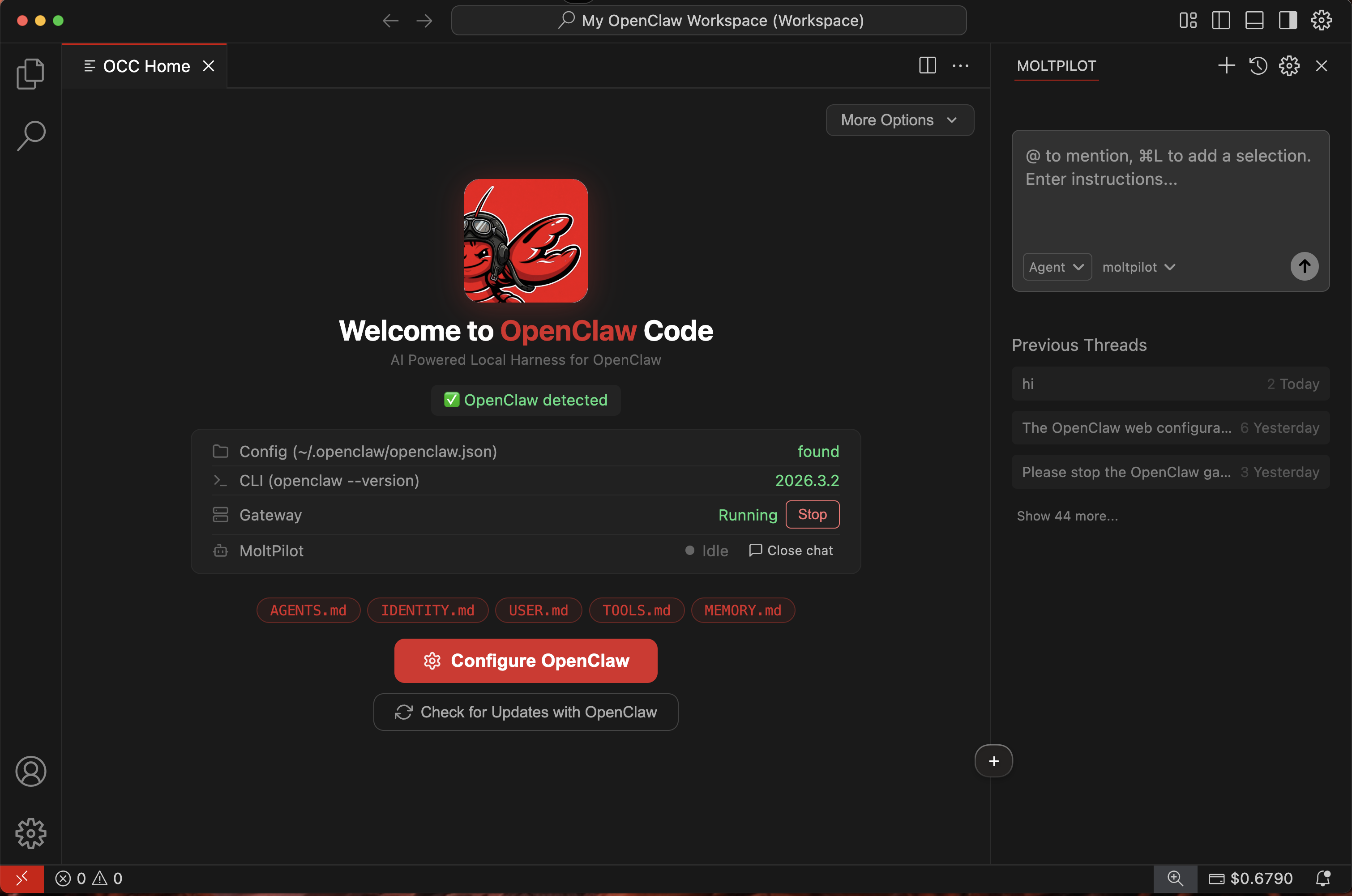 ## The easiest way to manage your AI agent
OpenClaw Code (OCCode) is a desktop app that lets anyone set up, connect, and manage an [OpenClaw](https://openclaw.ai) AI agent — no terminal, no config files, no technical knowledge required.
Download it, sign in, and your agent is ready to go.
***
## Who is this for?
OCCode is built for **anyone who wants their own AI agent** — not just developers. Here are some examples:
Set up an AI agent to help with customer support, scheduling, or answering common questions — without hiring a developer or learning to code.
Get an AI assistant for research, writing, brainstorming, and organizing information. Just open OCCode and start asking.
Use your agent to draft content, manage tasks, or automate repetitive work — so you can focus on what you're good at.
Give your team access to AI agents without complex infrastructure. Everyone signs in with their own account and gets started immediately.
You've heard about AI agents and want to try one. OCCode makes it simple — no setup headaches, no command line, just a friendly app.
***
## How it works
Get the free app for Windows or macOS from [openclawcode.ai](https://openclawcode.ai/#download).
Create an account with Google (one click) or email. You get **\$5 in free credits** instantly.
OCCode connects you to your OpenClaw AI agent. Start interacting right away — no configuration needed.
***
## Key features
Everything is done through a friendly visual interface. Zero command-line knowledge required.
Every new account starts with \$5 in credits — enough for thousands of interactions.
Follow guided steps to get your agent running in minutes, not hours.
No subscriptions. Top up $5 / $10 / $20 / $50 whenever you need more credits.
Available for Windows and macOS. Linux coming soon.
The app is fully open source on [GitHub](https://github.com/damoahdominic/occ).
***
## Get started
Download, sign in, and get your agent running in 2 minutes.
Understand what happens behind the scenes.
Learn about sign-in options and account security.
Simple flat pricing — see how credits work.
## The easiest way to manage your AI agent
OpenClaw Code (OCCode) is a desktop app that lets anyone set up, connect, and manage an [OpenClaw](https://openclaw.ai) AI agent — no terminal, no config files, no technical knowledge required.
Download it, sign in, and your agent is ready to go.
***
## Who is this for?
OCCode is built for **anyone who wants their own AI agent** — not just developers. Here are some examples:
Set up an AI agent to help with customer support, scheduling, or answering common questions — without hiring a developer or learning to code.
Get an AI assistant for research, writing, brainstorming, and organizing information. Just open OCCode and start asking.
Use your agent to draft content, manage tasks, or automate repetitive work — so you can focus on what you're good at.
Give your team access to AI agents without complex infrastructure. Everyone signs in with their own account and gets started immediately.
You've heard about AI agents and want to try one. OCCode makes it simple — no setup headaches, no command line, just a friendly app.
***
## How it works
Get the free app for Windows or macOS from [openclawcode.ai](https://openclawcode.ai/#download).
Create an account with Google (one click) or email. You get **\$5 in free credits** instantly.
OCCode connects you to your OpenClaw AI agent. Start interacting right away — no configuration needed.
***
## Key features
Everything is done through a friendly visual interface. Zero command-line knowledge required.
Every new account starts with \$5 in credits — enough for thousands of interactions.
Follow guided steps to get your agent running in minutes, not hours.
No subscriptions. Top up $5 / $10 / $20 / $50 whenever you need more credits.
Available for Windows and macOS. Linux coming soon.
The app is fully open source on [GitHub](https://github.com/damoahdominic/occ).
***
## Get started
Download, sign in, and get your agent running in 2 minutes.
Understand what happens behind the scenes.
Learn about sign-in options and account security.
Simple flat pricing — see how credits work.